
Our immersive WiDiD platform
WiDiD Immersive: your one-stop hub
for centralising training
(VR, PC & e-learning)
- Bring your VR simulators, PC modules and e-learning courses (xAPI/
Storyline) together on a single platform. - Centralised catalogue,
- Rights management by team/site,
- AI feedback,
- Advanced dashboards,
- Offline mode,
- EU hosting (GDPR), SSO/MDM on request (subject to assessment).
Why choose WiDiD Immersive?
- One platform, multiple experiences: play your simulators using a VR headset or on a PC, and deliver your xAPI e-learning courses (e.g. Storyline) plus resources (PDFs, images, etc.).
- Learning by doing: room for error and replayability to reinforce skills, realistic scenarios (technical & soft skills) for immersive learning.
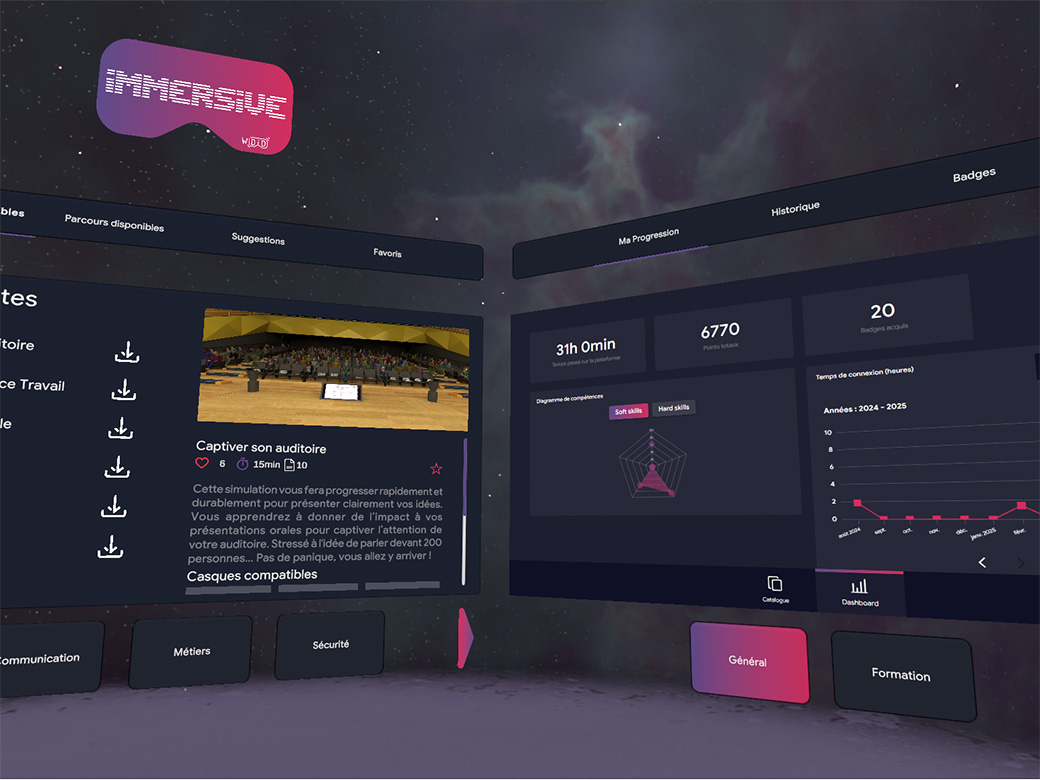
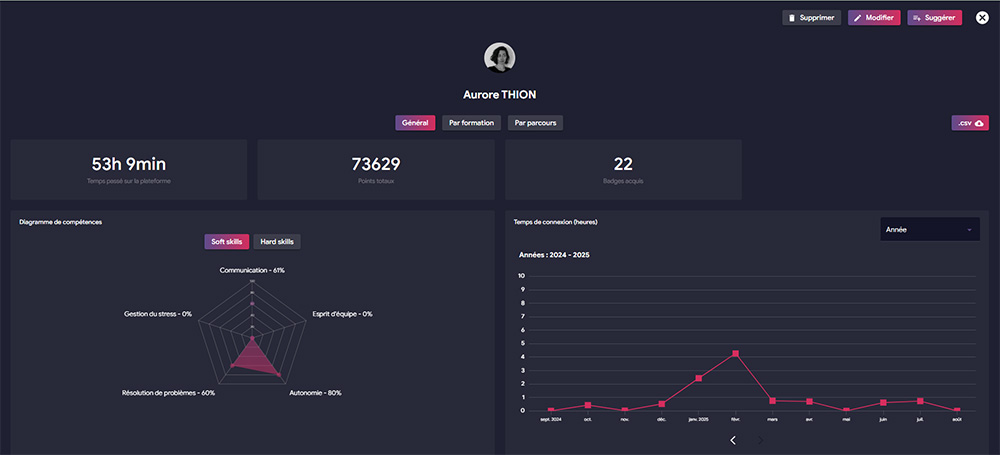
- Measure and manage: real-time progress tracking (learner, group, site), exportable dashboards (CSV).
- Seamless deployment: offline mode available on request, centralised updates, SSO & MDM on request (subject to assessment).
- Accessible to all: intuitive, multilingual interface, dyslexia-friendly font,
simulator with autonomous and assisted modes to suit every need.
Centralisation, in practical terms
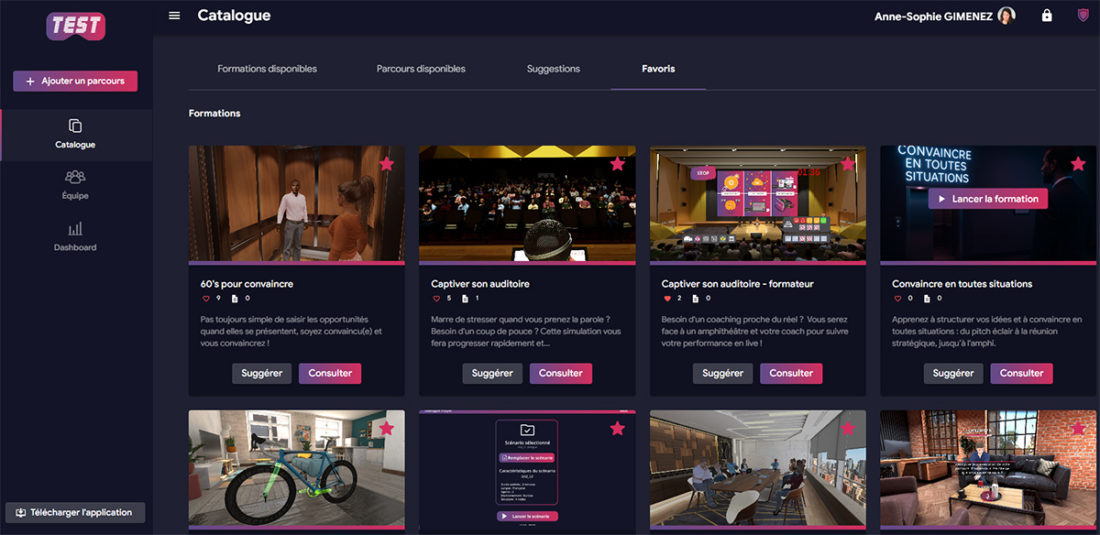
- Unified library: VR, PC, xAPI (Storyline), resources → all in one place.
- Spaces & permissions: multi-site/school/university library, roles & permissions by scope.
- Search & tags: topics, skills, duration, format, language.
- Consolidated analytics: VR + PC + xAPI on a single dashboard, CSV exports.
Compatibility & connectors
- Formats: VR (Unity, Unreal), e-learning (XAPI, Storyline)
- Connectors: CSV exports, LTI 1.3 / SCORM (under review if required)
- Identity & device fleet: SSO under review, offline after activation
- xAPI / LRS: native collection; connection to external LRS possible
Two experiments:
complementary
In Virtual Reality (VR)
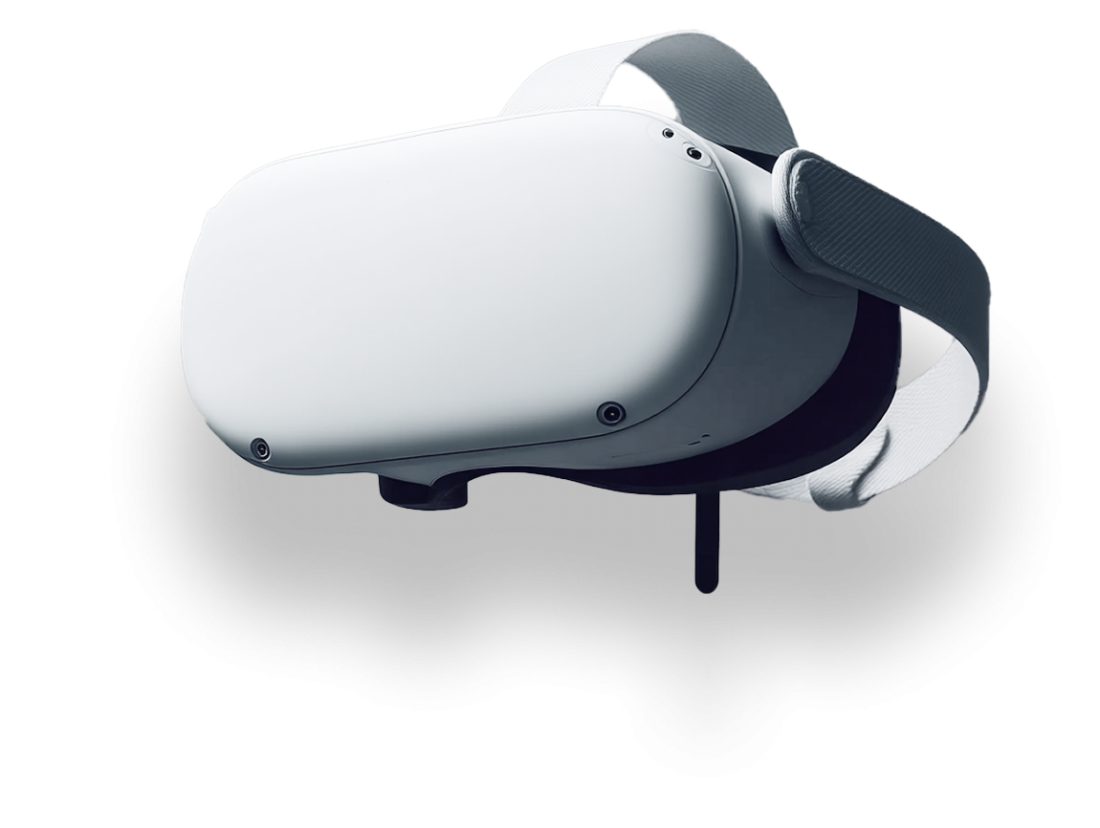
Total immersion for technical procedures and complex situations; active training, room for error, scenarios with unforeseen events.

On a computer (PC)
Screen simulators for scenarios without a headset, Dialogue Player (AI role-play) & Dialogue Designer (no-code) to create your dialogue/interview scenarios in around a week.

Learning experience
Learner experience
VR & PC access to all content, AI feedback and replays (depending on the module), a ‘Dashboard’ area with objectives and progress tracking over time.
Experience on the part of trainers / teaching teams
Course creation, content allocation, classroom-based support mode, dashboards (identifying bottlenecks, Qualiopi evidence).
Experience in a training management role
Monitoring skills development by class, team and organisation; highlighting key content.
Deployment:
a solution tailored to your needs
Every organisation starts from a different position. WiDiD Immersive provides a clear and tailored solution, whatever your situation.
I already have a traditional LMS
Your LMS delivers your e-learning courses but does not support VR content.
With WiDiD Immersive:
- You can bring VR and e-learning (Storyline content) together in a single space.
- You benefit from a unified tracking system thanks to the xAPI format.
- You can connect your data to an LRS to consolidate all your training courses into a single overview.
I don’t have an LMS or any content yet
You’re starting from scratch and looking for a turnkey solution.
With WiDiD Immersive:
- You’ll have immediate access to a library of ready-to-use VR content.
- You can create your own scenarios using the dialogue designer.
- You can host your e-learning courses and create your own learning pathways.
- You’ll receive comprehensive support, from installation through to aftercare.
I don’t have an LMS or any content yet
You’re starting from scratch and looking for a turnkey solution.
With WiDiD Immersive:
- You’ll have immediate access to a library of ready-to-use VR content.
- You can create your own scenarios using the dialogue designer.
- You can host your e-learning courses and create your own learning pathways.
- You’ll receive comprehensive support, from installation through to aftercare.
Migration & content migration
Portfolio audit (formats, duplicates, obsolescence) → bulk import, tagging/metadata, mapping of learning pathways & Qualiopi evidence, transition guides for learners/groups.

Governance & compliance
- EU hosting, GDPR, DPA available
- Roles and permissions, multi-site, access logs
- SSO under review, CSV exports, security best practices

Typical implementation
05 — Mesure & amélioration continue
Analyse des résultats, identification des points de blocage et évolution des scénarios.
05 — Mesure & amélioration continue
Analyse des résultats, identification des points de blocage et évolution des scénarios.
05 — Mesure & amélioration continue
Analyse des résultats, identification des points de blocage et évolution des scénarios.
05 — Mesure & amélioration continue
Analyse des résultats, identification des points de blocage et évolution des scénarios.
05 — Mesure & amélioration continue
Analyse des résultats, identification des points de blocage et évolution des scénarios.
Testimonials & references







Frequently Asked Questions
No. The modules are available for VR and PC (a combination of both is possible).
Yes, offline use after activation
Yes: xAPI (Storyline) and resources (PDF, doc). 360°, VR…
Le délai dépend du niveau de maturité de votre projet et de la complexité des scénarios.
WiDiD peut partir de vos contenus existants ou vous accompagner dès la définition de votre problématique pédagogique, puis vous former à Dialogue Designer pour vous permettre de faire évoluer vos simulations en autonomie.
Les données de suivi, d’évaluation et de progression peuvent contribuer à documenter certaines exigences de suivi et d’amélioration continue.
Dialogue Designer ne constitue toutefois pas, à lui seul, une garantie de conformité Qualiopi.
Les données de suivi, d’évaluation et de progression peuvent contribuer à documenter certaines exigences de suivi et d’amélioration continue.
Dialogue Designer ne constitue toutefois pas, à lui seul, une garantie de conformité Qualiopi.
2,500
Training hours
20
Transverse simulators
100%
Renewal
6
languages